
Teaching Strategies Family
Teaching Strategies, LLCEducation
3.0108.00 Reviews
- Version
- 16.7.20
- Installs
- 100.00K
- Age Rating
- Everyone
Screenshots
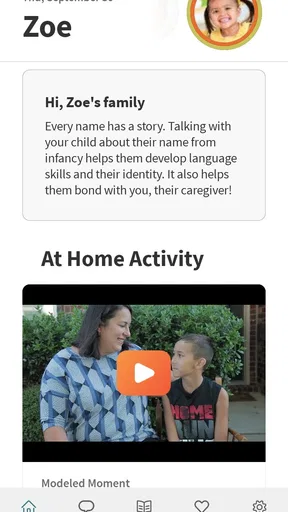
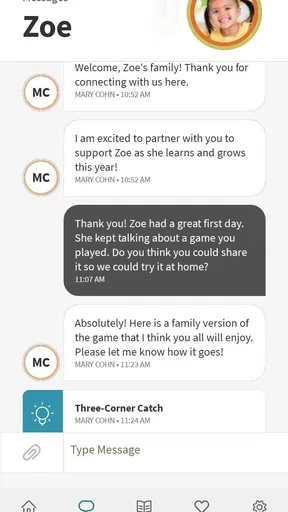
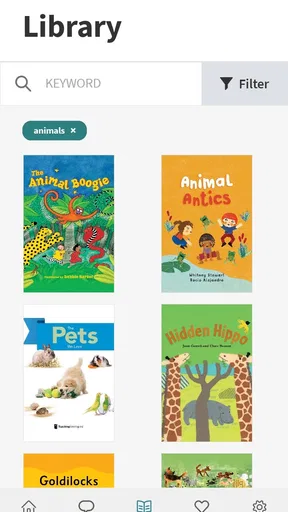
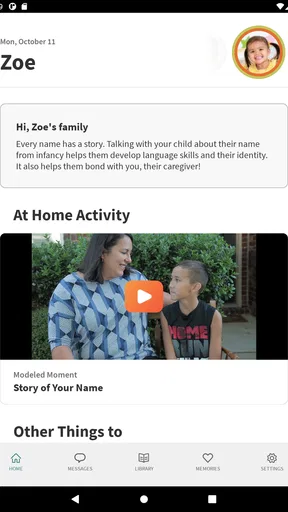
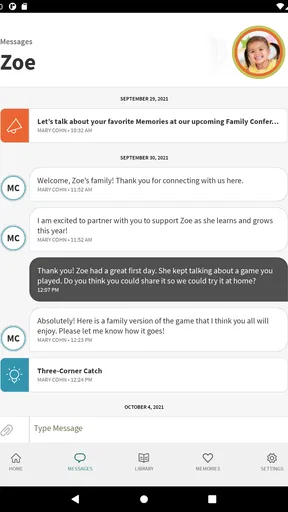
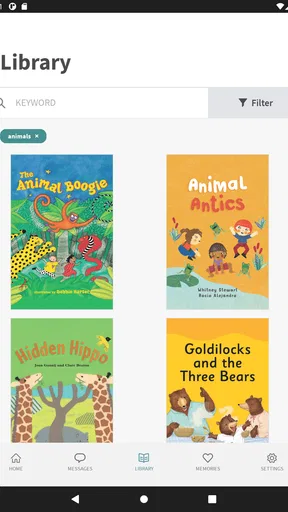
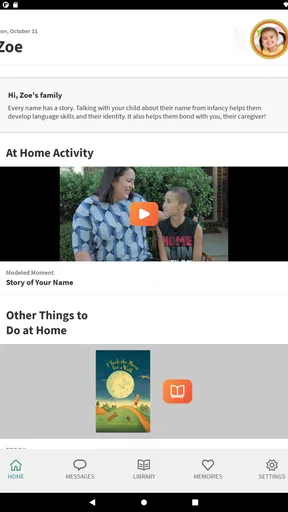
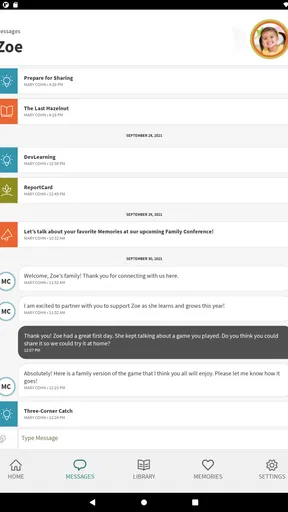
Our Review of Teaching Strategies Family
 Analysis by Appyee
Choosing a family communication app is less about finding the one with the longest feature list and more about matching the tool to the way your child’s school or care setting already works. I spent time with Teaching Strategies Family as an education app from Teaching Strategies, LLC, and my main impression is that it is designed to keep families connected to teachers and caregivers in one familiar place. That focus makes it more useful for some households than a general-purpose messaging app, but it also means its value depends heavily on whether the people caring for your child use the same system.
The app is free and suitable for Everyone, which removes two common barriers for families: cost and age-related access concerns. It has been available since Jul 14, 2017, and its current version is 16.7.20 for devices running Android 7.0 or newer. Those details matter if you are using an older phone or deciding whether every caregiver in the household can participate without buying anything.
What to consider before choosing a family communication app
My first decision criterion would be adoption. A family app cannot create a useful connection on its own; the child’s teachers, caregivers, or program administrators need to use it consistently. Before treating it as a replacement for email, paper notes, or another school platform, I would ask whether the setting actively sends updates through Teaching Strategies Family and whether all relevant caregivers can receive them.
The second criterion is purpose. This is not the kind of app I would choose primarily for entertainment, independent learning, or broad educational content. Its central role is communication around a child’s experience. That makes it a better fit for families who want a dedicated channel for school or care-related contact than for someone searching for a standalone reading tutor, homework planner, or classroom management tool.
I would also look at the number of people who need access. A household with two parents, a grandparent, or another regular caregiver may benefit from having information organized around the child rather than scattered across personal messages. On the other hand, if only one adult checks the app and the setting still relies on several other channels, the convenience can quickly disappear.
Finally, I would consider how much structure I want. General messaging apps are flexible, but that flexibility can make school information easy to lose among unrelated conversations. A dedicated education app can feel calmer because its purpose is narrower. The trade-off is that I would not expect it to replace every conversation or every administrative process used by a school.
My first-use impression and the practical learning curve
Teaching Strategies Family is easiest to understand when I treat it as a shared communication doorway rather than as a social network. The useful habit is to check it at a predictable time, such as after work or before the next school day, instead of waiting for every update to arrive as an urgent alert. That small change prevents the app from becoming another source of constant interruption.
For a new user, the most important early step is confirming that the correct child and care setting are connected to the account. If a family has more than one child, I would be especially careful when reading or responding to information, because a rushed glance at a notification can lead to confusion between children. I also recommend agreeing at home on who checks routine updates and who handles time-sensitive replies.
One less obvious strength is that a dedicated channel can make conversations easier to revisit. If a teacher shares something that affects the evening routine, I can return to that communication instead of searching through a long personal chat thread. That is particularly helpful when several adults share pickup duties or when a caregiver needs context before the child gets home.
Where the app is most useful in everyday family life
Imagine a child attends a program during the day while one parent works away from home and a grandparent handles pickup. With a shared family communication tool, the parent can check the same place as the grandparent rather than relying on a chain of forwarded messages. The grandparent can focus on the immediate practical details, while the parent can review the broader update later. That is a modest improvement, but it addresses a real source of family friction.
Another useful situation is the transition between home and care. A message from a teacher may give a family context for a child’s mood, participation, or upcoming routine. I would not use the app to diagnose behavior or replace a direct conversation when something serious is happening. I would use it to keep ordinary communication from being forgotten and to make follow-up conversations more informed.
It can also help families who are not naturally good at keeping paper notices. Printed reminders disappear in backpacks, while text messages can become buried under unrelated conversations. A purpose-built education channel gives routine school communication a clearer home. The benefit is not flashy; it is the reduction of small misunderstandings that accumulate during busy weeks.
Where Teaching Strategies Family wins over general messaging
The strongest case for this app is focus. A normal messaging service may be excellent for quick family conversations, but it is not organized around the relationship between a child, caregivers, and educators. Teaching Strategies Family is more appealing when I want school-related communication separated from personal chats, work messages, and social notifications.
Its free price also makes it easier for a whole care network to participate. When a tool requires a subscription, a second device, or a complicated setup, one caregiver often gets left out. Here, the absence of a purchase decision makes adoption simpler, provided the child’s program already supports the platform.
The app’s education category is another clue about its intended role. I would judge it by whether it helps families stay informed and connected, not by whether it offers the depth of a learning platform. That distinction prevents disappointment. It is a communication companion, not something I would install expecting a complete curriculum or a replacement for teacher-led instruction.
The app’s reach also suggests that it is not an obscure experiment. It has passed the hundred-thousand-install mark and carries an average rating of 3.0 from around two hundred ratings, alongside more than a hundred written reviews. I read that combination as a reason to remain practical rather than enthusiastic by default: enough families have tried it to make the app worth considering, but the rating also reminds me that individual experiences may vary.
Limitations that should influence the decision
The biggest limitation is dependence on the school or care provider. If teachers rarely post, if some staff members use another channel, or if important notices continue to arrive on paper, the app cannot solve the communication gap. In that situation, adding it may create one more place to check without reducing the number of places a parent already has to monitor.
I would also be cautious about treating the app as an emergency line. A family communication platform is not automatically the right place for an urgent absence notice, a medical concern, or a situation that requires immediate confirmation. For those matters, I would follow the setting’s established procedure and use the app for routine communication unless the provider explicitly says otherwise.
Another point is household consistency. The app works best when adults agree on who is responsible for reading updates and how replies will be handled. Without that agreement, a message may be seen by one person but assumed to have been seen by everyone. The technology can centralize information, but it cannot automatically centralize family responsibility.
Older devices deserve a quick check too. The minimum Android requirement is version 7.0, so a phone that cannot run that system may need an update or a different way to receive information. I would check this before asking a grandparent or backup caregiver to rely on the app, because the least technical member of the household is often the person most affected by compatibility problems.
How it compares with the usual alternatives
Compared with email, Teaching Strategies Family offers a more focused destination for child-related communication. Email remains better when a family needs to keep formal records, include several outside contacts, or exchange longer documents through an existing workflow. I would prefer the app for everyday connection when the care setting is committed to it, but I would not assume it eliminates email.
Compared with paper notices, the app is more convenient for caregivers who are rarely the person holding the child’s backpack. Digital communication can reach adults who are working, traveling, or sharing pickup duties. Paper may still be preferable for households with limited device access or for settings that use printed materials as the official record.
Compared with general messaging services, the app offers a narrower and more relevant context. A personal chat can be faster when a parent already has a teacher’s direct contact information, but that arrangement can blur boundaries and make records difficult to manage. I would favor the dedicated app when the goal is to keep family-school communication in the channel chosen by the program.
Compared with a broad school-management platform, this app may feel simpler for a family that mainly needs connection with teachers and caregivers. A larger platform can be a better choice when parents need grades, attendance, calendars, payments, assignments, transportation, and other school functions in one place. I would not switch to Teaching Strategies Family expecting it to replace every administrative system unless the child’s provider has made that role clear.
Three habits that make the app more worthwhile
First, I would create a short checking routine instead of opening the app randomly. Reviewing it after the child’s program ends gives me a chance to connect an update with the day’s events and decide whether a reply is needed. This is more effective than checking repeatedly and still missing the meaning of a message.
Second, I would use the app as a prompt for better offline conversations. If a teacher shares a routine observation, I can ask the child a specific, gentle question at home rather than the vague “How was your day?” The app becomes useful not because it replaces family conversation, but because it gives that conversation a starting point.
Third, I would establish a backup rule for shared caregiving. For example, one adult can handle routine reading while another confirms practical arrangements. The exact arrangement is up to the family, but making it explicit reduces duplicate replies and prevents the assumption that someone else has already acted.
A fourth useful habit is to separate routine updates from issues that deserve a direct conversation. Not every message needs an immediate response, and not every concern should be handled through a written exchange. I find the app most effective when it supports a calm follow-up rather than encouraging a long back-and-forth about something better discussed with the teacher directly.
Who should use it, and who may be better served elsewhere
I would recommend trying it when your child’s preschool, early-learning program, or care setting already uses Teaching Strategies Family as a regular communication channel. It is especially suitable for households with multiple caregivers, changing pickup arrangements, or a need to keep school communication separate from personal messaging.
I would be less enthusiastic if the setting only mentions the app occasionally but continues to send essential information through several unrelated systems. In that case, the problem is not whether the app is free; it is whether adopting it will actually simplify the family’s routine. A tool that nobody checks consistently is not a reliable communication plan.
I would also suggest looking elsewhere if your main goal is academic practice, detailed student administration, or direct emergency contact. A learning app, school portal, or established phone procedure may be a better match for those needs. Teaching Strategies Family makes the most sense when the central question is, “How can I stay connected with the adults caring for my child?”
What switching really costs
Because the app is free, the financial cost of trying it is low. The real cost is attention: learning where updates appear, helping other caregivers join the routine, and checking whether teachers actually use it. I would give the trial a fair chance during a normal week rather than judging it after one quiet day.
Switching away can also have a hidden cost if important context is spread across channels. Before abandoning the app, I would make sure the family knows where future updates will arrive and whether the care provider has changed its preferred method. The safest approach is to treat communication changes as a household process, not simply as deleting an icon.
On the technical side, the Android requirement is modest enough for many existing devices, but families using older phones should verify compatibility before making the app their only routine. Since the app is rated for Everyone, age restrictions are unlikely to be the deciding factor; access, consistency, and provider participation matter more.
My recommendation
I recommend Teaching Strategies Family as a focused communication tool when the child’s teachers or caregivers actively use it. I like its simple proposition: keep the family connected to the people involved in the child’s day without forcing every update into a personal messaging thread. The free access and broad age suitability make it easy to test with a household.
My recommendation comes with a clear condition: do not install it merely because it sounds convenient. Ask whether the care setting posts meaningful updates there, whether the adults who need access can use a compatible device, and what channel remains official for urgent matters. If those answers are positive, the app can reduce scattered communication and help caregivers stay on the same page.
After using it, I see Teaching Strategies Family as a practical fit rather than a universal family platform. Its moderate average rating and limited review volume suggest keeping expectations grounded, while its established presence and education-focused purpose make it worth considering for families already connected to a participating program. I would choose it for organized school-to-home communication, keep another channel available for urgent or formal matters, and skip it if the provider does not use it consistently.
Verdict
Strengths of Teaching Strategies Family
- Keeps families informed about classroom activities and learning goals.
- Offers practical ideas for extending lessons and routines at home.
- Supports quick communication between teachers and parents.
- Can help parents understand their child’s progress more clearly.
- Useful for building consistency between home and school expectations.
Limitations of Teaching Strategies Family
- Available features may vary depending on the school or teacher setup.
- Some families may receive frequent notifications that feel overwhelming.
- Requires regular internet access for timely updates and content.
- The interface may be less useful when teachers post limited information.
- Privacy settings and data practices should be reviewed before use.
Similar Picks in This Category
View All
Duolingo: Language Lessons
Duolingo4.7

Google Classroom
Google LLC2.8

Unacademy: Learn & Crack Exams
Unacademy3.2

Bible App for Kids
Life.Church4.4

Cake - Learn English & Korean
Cake Corp.4.7

Brainly: AI Homework Helper
Brainly4.5
Frequently Asked Questions
What is Teaching Strategies Family, and who is it designed for?
Teaching Strategies Family is a family-engagement app connected to early-childhood education programs that use Teaching Strategies tools. It is designed mainly for parents, guardians, and caregivers who want to follow a child’s learning, receive classroom updates, view shared activities, and communicate with educators. Access and available features may depend on the child’s school or program subscription.
How do I sign in to Teaching Strategies Family?
To use the app, families generally need an invitation or account information provided by the child’s participating school, teacher, or early-learning program. After installing it, you may be asked to enter your email address, phone number, or another identifier and create a password. If you cannot sign in, confirm that your contact details match the school’s records and contact the program administrator for assistance.
What can parents and caregivers do inside the app?
The available tools can help families stay informed about a child’s experiences at school and support learning at home. Depending on the program, you may receive messages, announcements, photos, observations, learning updates, activity suggestions, or requests for family input. The app is most useful when educators actively share information, so the amount of content can vary considerably between classrooms and schools.
Is Teaching Strategies Family free to download and use?
The application may be available to download without an upfront charge, but access is usually linked to an early-childhood program that uses Teaching Strategies services. In other words, downloading the app does not necessarily guarantee access to every feature. Families should check with their child’s school or provider about eligibility, account activation, possible program fees, and whether mobile data or notification charges could apply.
Does the app protect family and child information?
Teaching Strategies Family may handle personal information, communication records, and child-related educational content, so families should review the current privacy policy and permissions before using it. Avoid sharing sensitive details through general messages unless the school instructs you to do so. Keep login credentials private, use a secure password, install updates, and report suspicious account activity to the school or app support team.
